
Keyword Difficulty Checker
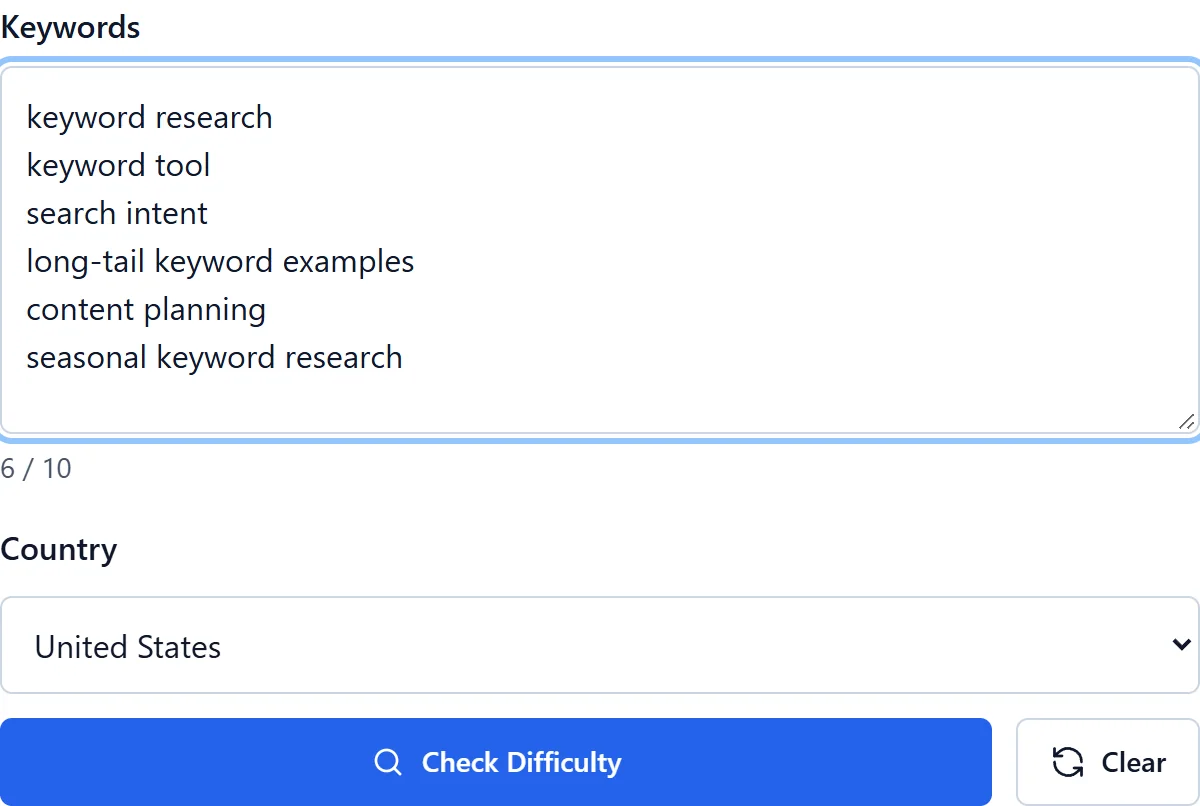
Compare KD for up to 10 supplied keywords in your selected country. Copy the keywords you need or export results as CSV.
No credit card required
Choose your target country
Copy and CSV export
Simple pricing. Powerful results.
No hidden fees. No useless features. Get started for free with zero commitments, and upgrade only when your business grows.
Save 25% with annual billing
For trying KeywordStat and getting started. Perfect for occasional keyword research.
- ✓2 free analyses per day, no registration
- ✓5 analyses per day with a free account
- ✓Up to 250 keywords per analysis
- ✓All 8 metrics: Volume, KD, CPC & more
- ✓Standard export & keyword clustering
For SEO specialists and content teams. Built for daily keyword research workflows.
- ✓100 analyses per day
- ✓Up to 5,000 keywords per analysis
- ✓All 8 metrics: Volume, KD, CPC & more
- ✓Unlimited export & keyword clustering
- ✓Priority AI processing speed
For agencies and high-volume marketing teams. Contact us for custom requirements.
- ✓Custom high-volume usage limits
- ✓Full API access
- ✓Bulk processing & automated reporting
- ✓Higher usage limits
Cancel anytime · 14-day money-back guarantee on paid plans


Continue your research
Keep your research workflow in your KeywordStat account.
What does keyword difficulty mean?
Keyword difficulty, or KD, is an indicator used to compare the estimated competitiveness of search queries. KeywordStat displays it on a 0-100 scale. A higher value signals a more difficult opportunity according to the record's source, not an absolute barrier to ranking.
Different providers can define difficulty differently. A score is not a direct count of links you must obtain, a domain-authority requirement or a promise of a particular position. Use it to decide what deserves a closer review.
Read the scale consistently
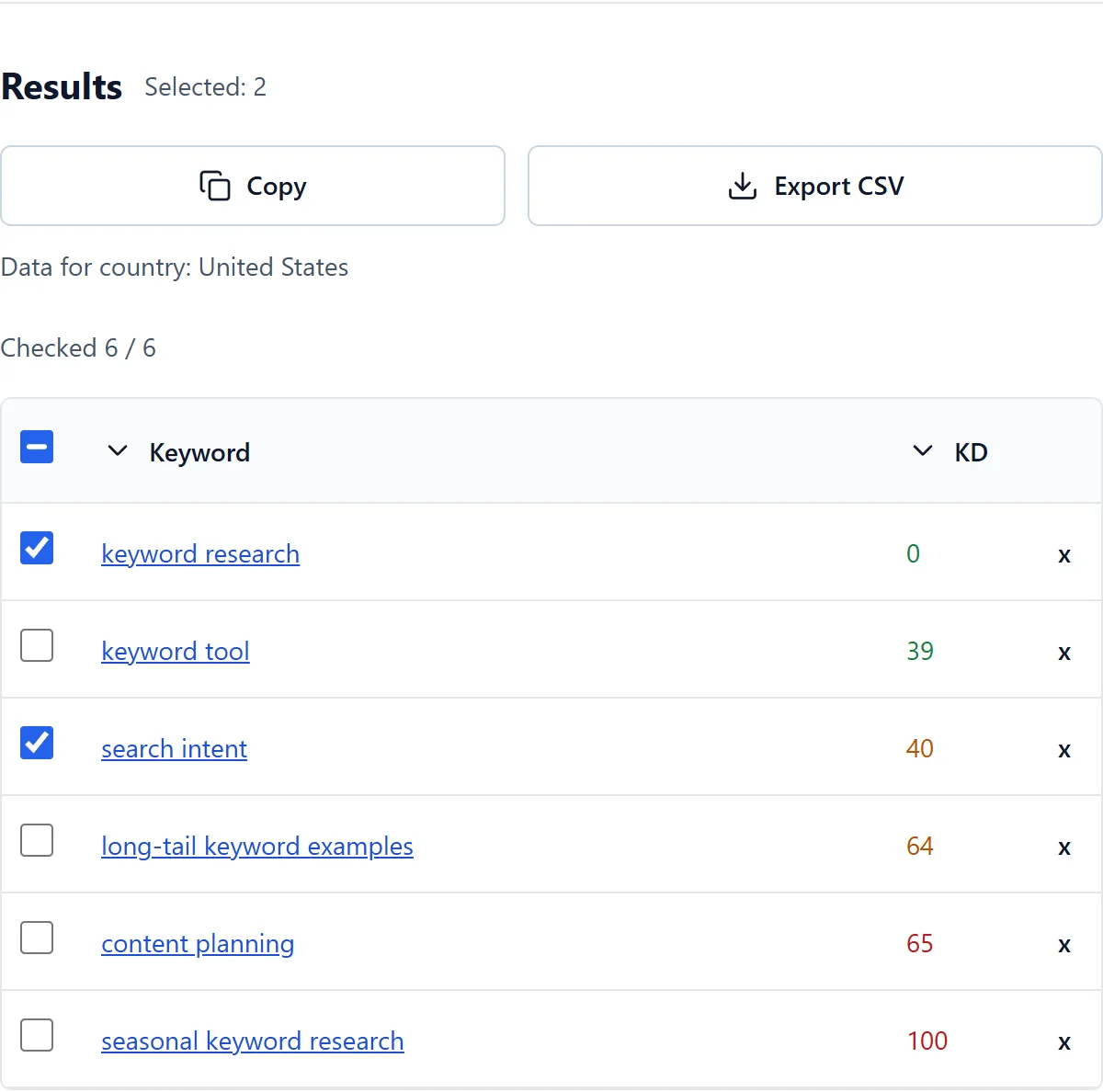
The interface uses green for 0-39, orange for 40-64 and red for 65-100. These are display bands, not universal thresholds for whether a page can rank. A valid zero belongs to the scale; an unavailable value does not.
The focused checker retrieves existing KD records for the exact keyword and country. It does not crawl current search results, measure competitors' backlinks or calculate a fresh authority score during the request. Missing records remain unknown.
How to compare your keywords
- Enter up to 10 supplied keywords and deliberately select the target country.
- Compare available values while keeping their source and age in mind. Do not assume that scores from different providers use an identical formula.
- Sort by KD to make a shortlist, then review intent, relevance and the actual results manually.
- Copy selected keywords or export the table. Keep the missing values visible in later research instead of converting them to zero.
Choose useful opportunities for a new site
Lower difficulty can be a starting point when resources are limited, but there is no single good score for every site and niche. Check whether you can produce a useful page that answers the query and whether the visible results leave a relevant need unanswered.
Do not reject a relevant topic solely because its KD is high or accept a weak topic solely because its KD is low. Compare the work needed, the audience's task and the value of covering the topic. Specific long-tail queries can help focus the research, but their length alone does not prove easy rankings.
Keep manual competitor checks separate
When reviewing the results, examine the type and usefulness of the pages already shown. If you also investigate links or authority, use an appropriate independent source and inspect its definitions. This checker does not supply measured backlink or domain-authority data.
A low KD should prompt a manual SERP check, not a ranking guarantee. Content quality, relevance, technical access and the competitive context still need separate investigation.
Frequently asked questions
Do I need a credit card?
No. Free access works without a credit card within the current daily allowance.
Why are some metrics missing?
Data is not available for every keyword and country. An unavailable value does not mean zero.
What KD is a sensible starting point?
There is no universal cutoff. The green 0-39 band can help create an initial shortlist, but intent, relevance, available resources and the real results still matter. The band does not promise a ranking or a fixed time to reach it.
Can a smaller site compete for a high-KD keyword?
A score alone cannot decide that. Review the actual pages, the user's task and what your proposed page would add. A focused page may address a need that broader results miss, but neither KD nor a domain-authority label guarantees the outcome.
Does KD tell me how many backlinks I need?
No. Difficulty formulas vary by provider, and this focused checker does not measure a current backlink profile. Treat any link analysis as a separate sourced investigation rather than turning a KD value into a required number of links.