
Search Intent Checker
Check search intent for up to 10 supplied keywords in your selected country. Copy keywords or export results as CSV.
No credit card required
Choose your target country
Copy and CSV export
Simple pricing. Powerful results.
No hidden fees. No useless features. Get started for free with zero commitments, and upgrade only when your business grows.
Save 25% with annual billing
For trying KeywordStat and getting started. Perfect for occasional keyword research.
- ✓2 free analyses per day, no registration
- ✓5 analyses per day with a free account
- ✓Up to 250 keywords per analysis
- ✓All 8 metrics: Volume, KD, CPC & more
- ✓Standard export & keyword clustering
For SEO specialists and content teams. Built for daily keyword research workflows.
- ✓100 analyses per day
- ✓Up to 5,000 keywords per analysis
- ✓All 8 metrics: Volume, KD, CPC & more
- ✓Unlimited export & keyword clustering
- ✓Priority AI processing speed
For agencies and high-volume marketing teams. Contact us for custom requirements.
- ✓Custom high-volume usage limits
- ✓Full API access
- ✓Bulk processing & automated reporting
- ✓Higher usage limits
Cancel anytime · 14-day money-back guarantee on paid plans


Continue your research
Keep your research workflow in your KeywordStat account.
What is search intent?
Search intent describes the task behind a query: learning something, finding a known destination, comparing options or taking an action. Understanding the task helps you decide what sort of page could provide a useful answer.
A tutorial, product page, category and comparison page can all contain similar words while serving different needs. Classifying the query is a starting point, not proof that one page format will always be correct. Review the query's context and the actual results.
Read four intent labels
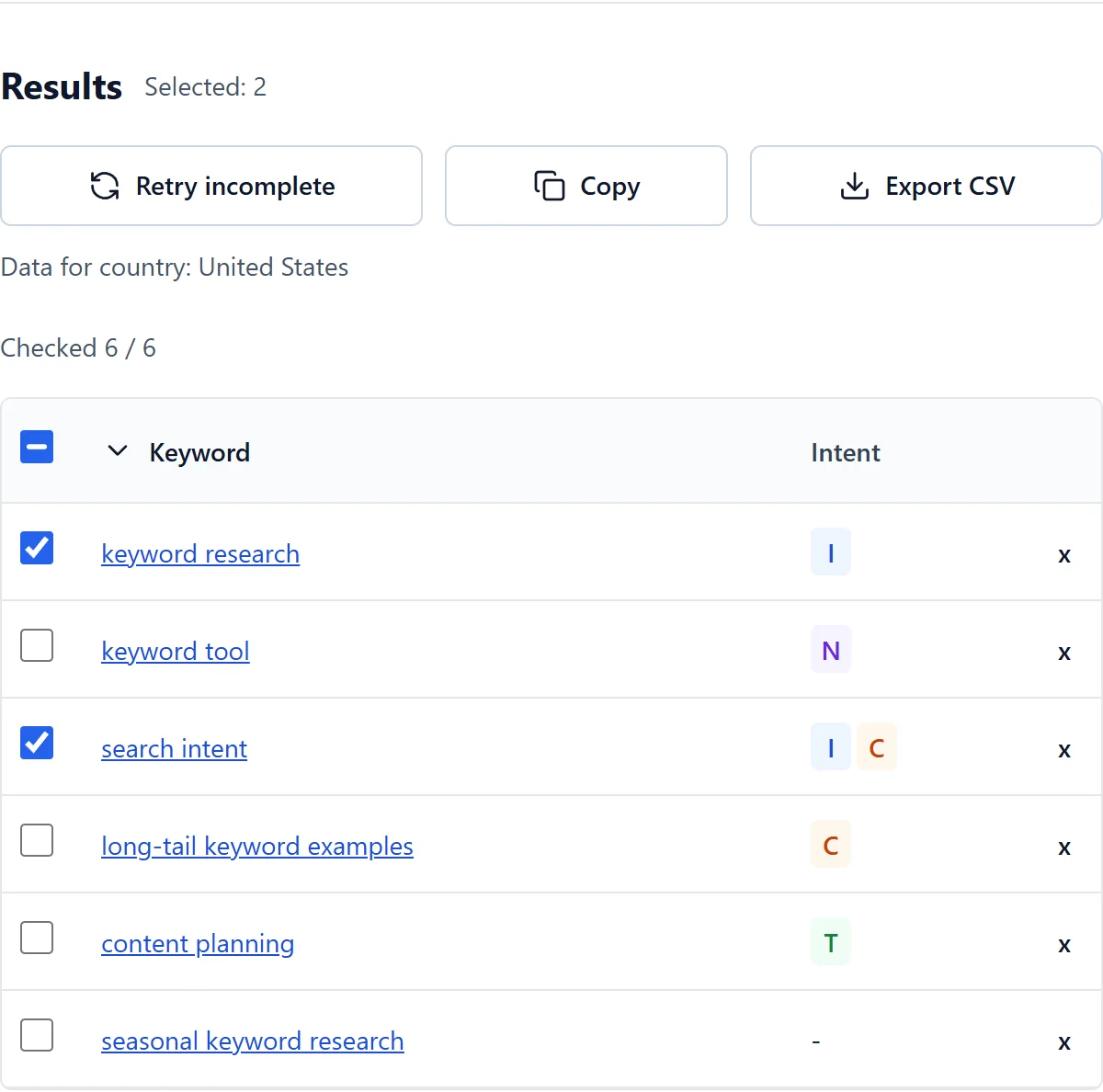
KeywordStat uses I for informational, N for navigational, C for commercial and T for transactional intent. A query can have more than one label. The available record may also have no reliable classification.
This focused preview reads existing stored classifications for the supplied keyword and country. It does not inspect live search results during the check. Missing classification stays unknown; it does not activate all four labels as a substitute.
Match the page to the task
- Informational: the user wants an explanation, answer or process. An article, guide, tutorial or useful FAQ may fit.
- Navigational: the user wants a particular brand, website or destination, such as a known service's login page.
- Commercial: the user is researching alternatives, reviews, features or prices before deciding.
- Transactional: the user wants to complete an action, such as buying, subscribing, registering or downloading.
How to review a keyword list
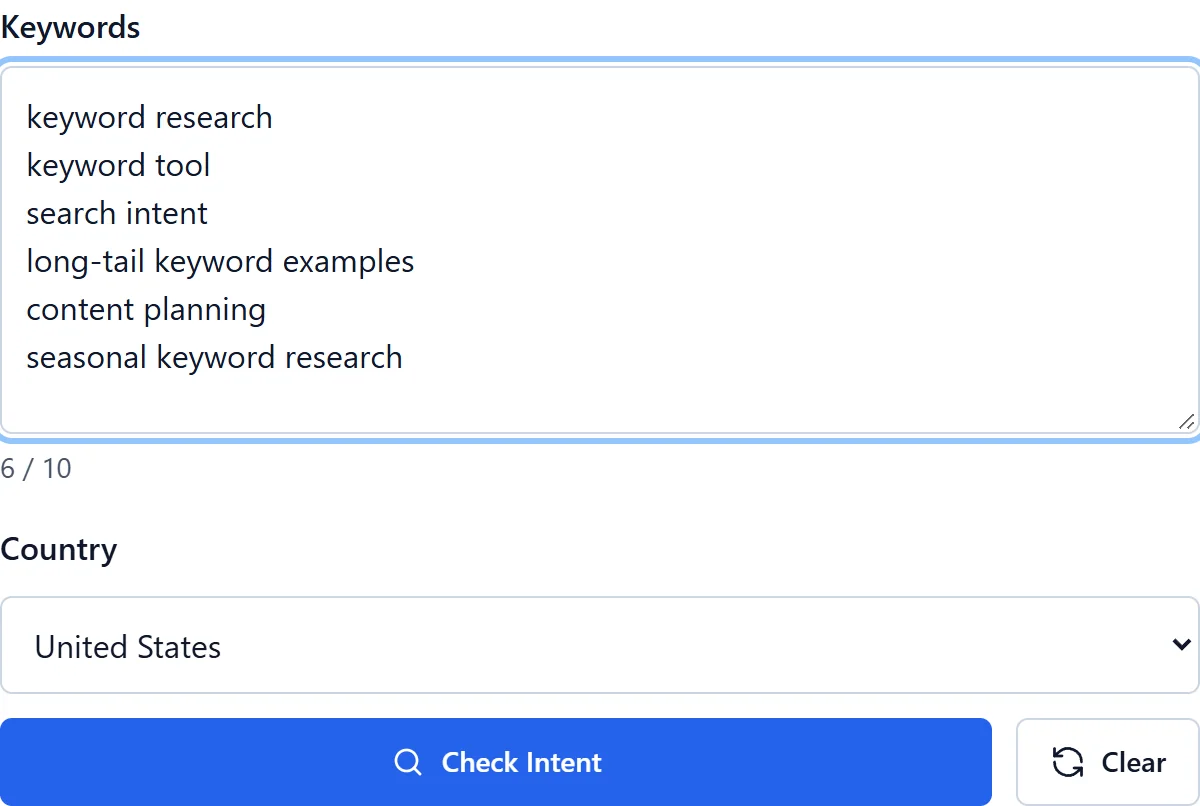
Enter up to 10 keywords, choose the intended country and run the check. Keep the original query wording when comparing records; changing the market is not a command to translate the text. Copy selected keywords or export the available intent labels as CSV.
Use the classification to prepare a shortlist of page formats. Then examine whether the wording, the visible results and the audience's situation support that choice. Words such as 'how', 'best' or 'buy' can be clues, but they are not universal classification rules.
Handle mixed intent without forcing a label
A broad topic, brand name or ambiguous word may support several tasks. Mixed intent is a reason to inspect the context, not to assume that every query needs all four categories or a separate page for each label.
Matching a useful page to the user's task can improve the experience, but an intent label does not guarantee conversions. The offer, page content and the rest of the journey still matter. Treat the classification as research evidence rather than a promise of commercial results.
Frequently asked questions
Do I need a credit card?
No. Free access works without a credit card within the current daily allowance.
Why are some metrics missing?
Data is not available for every keyword and country. An unavailable value does not mean zero.
What clues help when reviewing search intent?
Look at the query wording, context and types of pages actually returned. A question may suggest an explanation, while a product-and-price query may suggest comparison or purchase. These are clues for manual review, not a statement that this checker reads Google's internal algorithms.
Can one keyword have several intents?
Yes. A broad or ambiguous query may serve different users and produce several page types. Keep supported mixed labels, inspect the real context and avoid adding labels merely to fill a missing record.
Does matching intent guarantee a conversion?
No. A relevant format can help a person complete a task, but the offer, usefulness and usability of the page also matter. Use intent to improve your research and page choice, not as a guaranteed conversion-rate prediction.